
Services
Most projects need more than a database sooner or later: a cache, somewhere for test mails to land, a queue, a search engine. Envoryx runs these as optional services next to your project. Each one gets its own container on the project network, keeps its data in a volume if it has any, and tells your application where to find it through environment variables.
You add services in the wizard’s Project & services step, or later in the project’s Services section. Removing a service that holds data asks you what should happen to that data; more on that below.
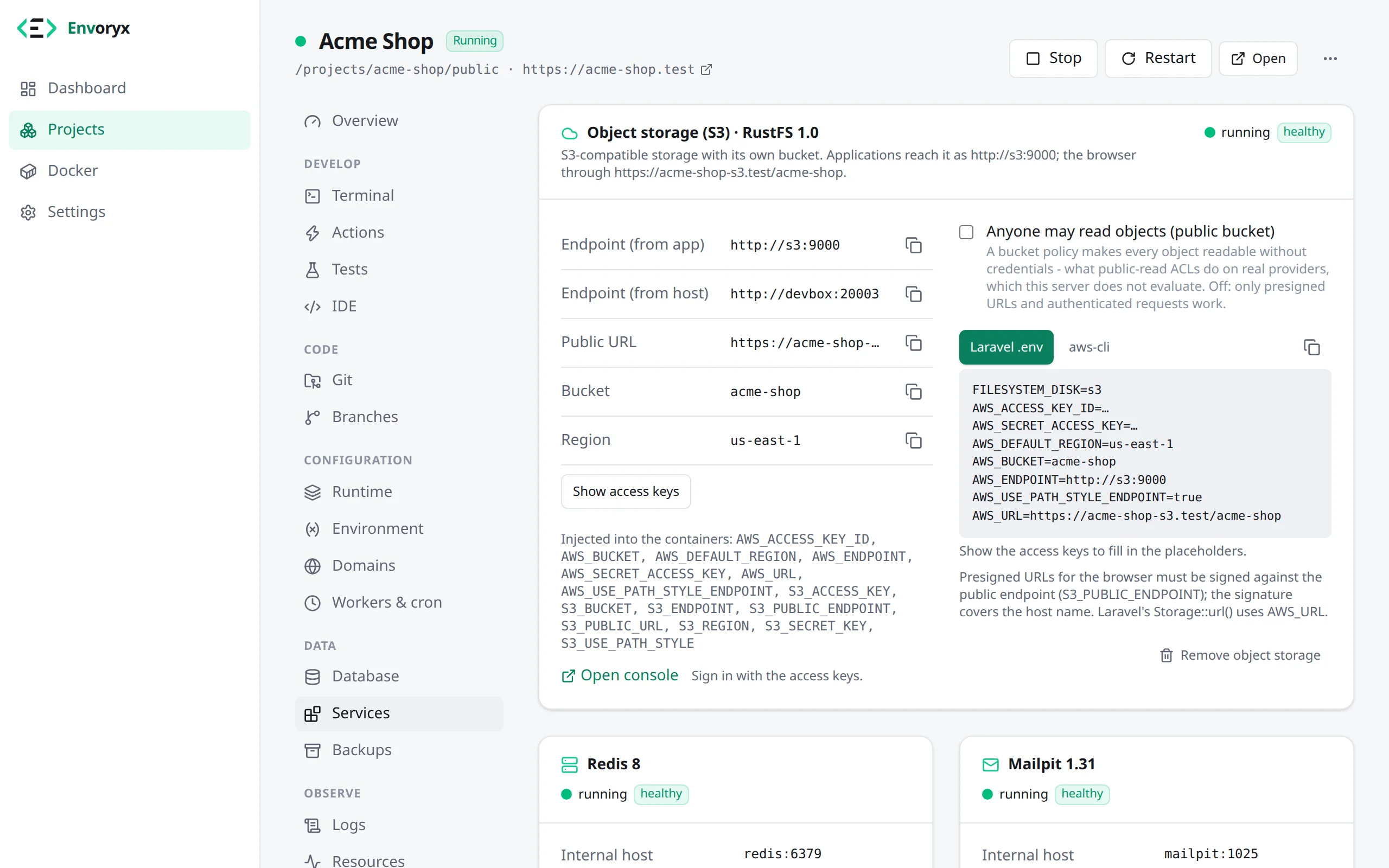
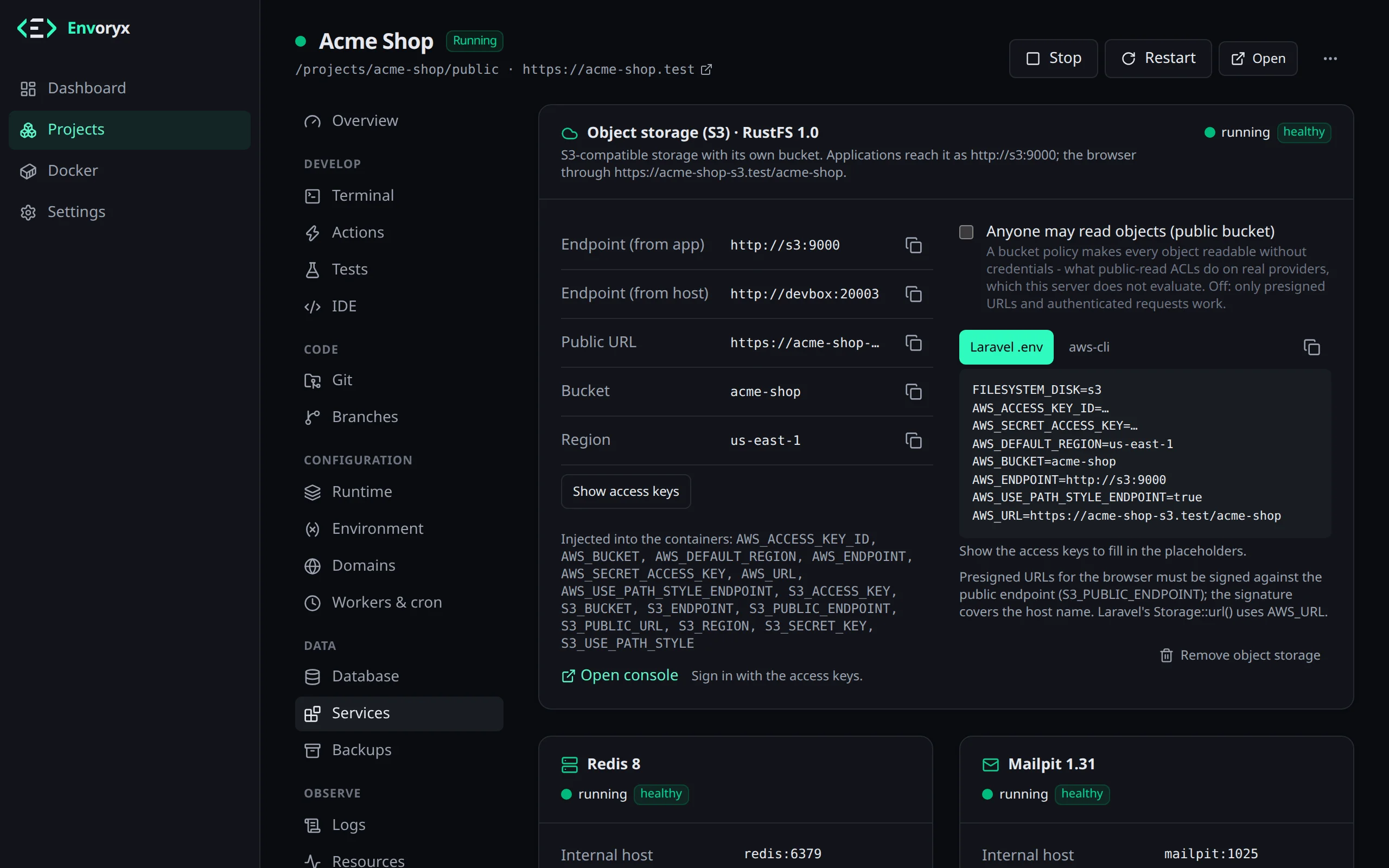
Here’s what each service is called inside the project and what your application gets:
| Service | Host in the project | Variables the application gets |
|---|---|---|
| Redis | redis:6379 |
REDIS_HOST, REDIS_PORT, REDIS_URL (plus REDIS_PASSWORD for an external server) |
| Memcached | memcached:11211 |
MEMCACHED_HOST, MEMCACHED_PORT, MEMCACHED_URL |
| Mailpit | mailpit:1025 (SMTP) |
MAIL_MAILER, MAIL_HOST, MAIL_PORT, MAIL_ENCRYPTION, MAILER_DSN, SMTP_HOST, SMTP_PORT |
| RabbitMQ | rabbitmq:5672 |
RABBITMQ_HOST, RABBITMQ_PORT, RABBITMQ_USER, RABBITMQ_PASSWORD, RABBITMQ_VHOST, RABBITMQ_URL |
| Meilisearch | meilisearch:7700 |
MEILISEARCH_HOST, MEILISEARCH_URL, MEILISEARCH_KEY, MEILISEARCH_API_KEY |
| Typesense | typesense:8108 |
TYPESENSE_HOST, TYPESENSE_PORT, TYPESENSE_PROTOCOL, TYPESENSE_API_KEY, TYPESENSE_URL |
| OpenSearch | opensearch:9200 |
OPENSEARCH_HOST, OPENSEARCH_PORT, OPENSEARCH_SCHEME, OPENSEARCH_URL |
| Ollama | ollama:11434 |
OLLAMA_HOST, OLLAMA_BASE_URL, OLLAMA_URL |
| Object storage | s3:9000 |
S3_* and AWS_* (see below) |
These are the names Laravel, Symfony and the usual client libraries look for, so most applications just work without any configuration. If you set one of these variables yourself in the project, your value wins. In a PHP project, adding Redis, Memcached or RabbitMQ also switches on PHP’s redis, memcached or amqp extension, so the client is there when your code reaches for it.
Need something that isn’t in this list, say phpMyAdmin or Elasticsearch? That’s what addons are for.
Redis and Memcached
Section titled “Redis and Memcached”Redis keeps its data in a persistent volume, so a restart doesn’t empty it. If you already run a Redis somewhere, the project can use that one instead of a container: choose On an external server when you add it, enter host, port and, if there is one, the password, and click Test connection. Envoryx never changes anything on that server, and removing Redis from the project just makes it forget the connection.
Memcached is a plain in-memory cache. It keeps nothing across restarts, which is exactly what a cache is for.
Mailpit
Section titled “Mailpit”Mailpit is the one I’d add to almost every project. It catches every e-mail your application sends over SMTP and shows it in a web inbox, so you can test sign-up and password-reset mails without anything leaving your network. The inbox opens from the Services section, and because it lives on Mailpit’s port, that port is always published.
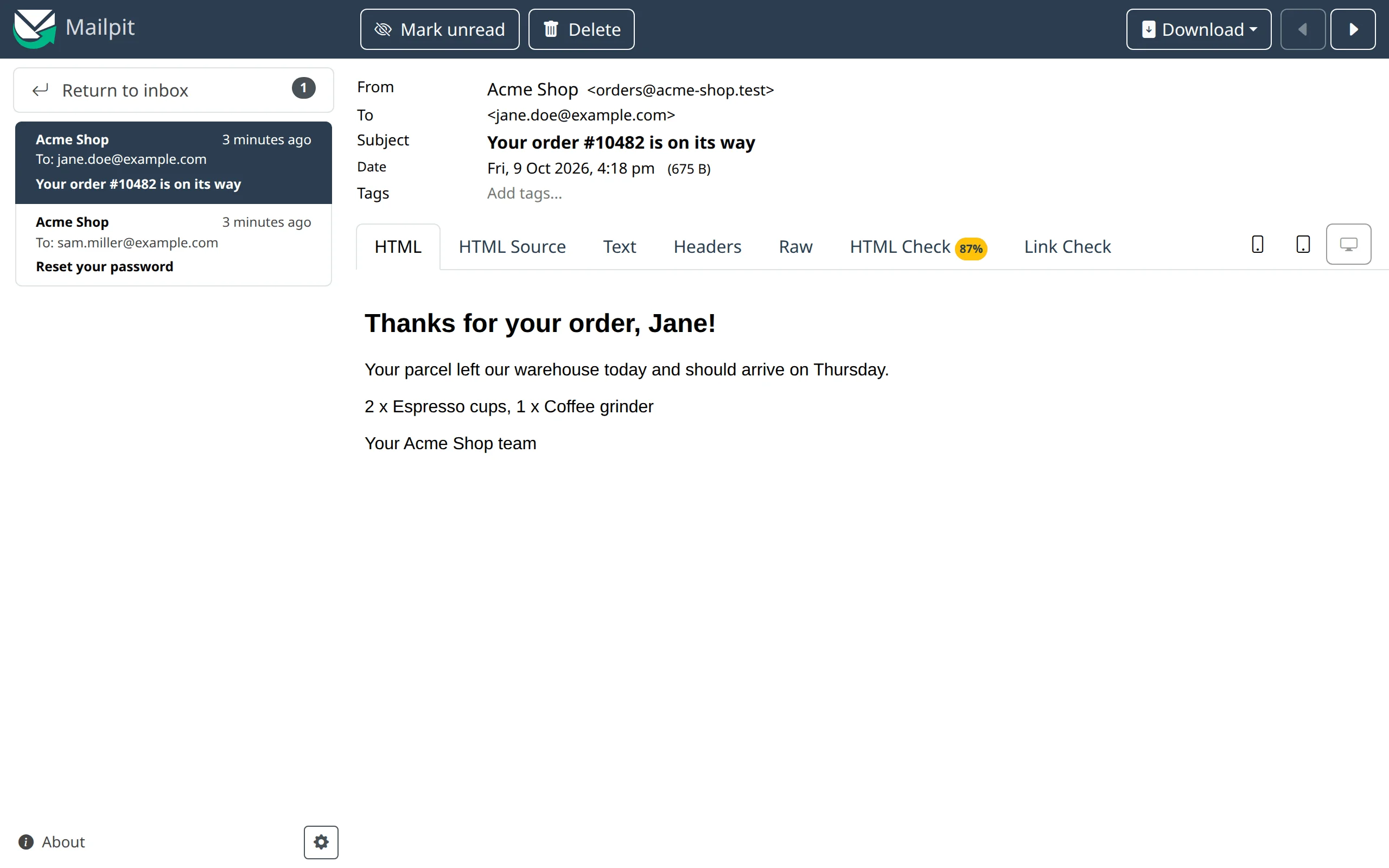
PHP’s plain mail() lands there too. The PHP images ship msmtp, and while Mailpit is on, sendmail_path sends through it, so old code that never heard of SMTP still shows up in the inbox. Without Mailpit, mail() returns false.
Most frameworks find Mailpit without your help. Laravel and Symfony read MAIL_* and MAILER_DSN
from the environment anyway, and the TYPO3, Rails and Django templates are set up to send through
MAIL_HOST or SMTP_HOST while the project has Mailpit. Remove Mailpit again, and they fall back to
what they did before.
Mailpit keeps the mails inside its container only, so every restart of the project empties the inbox. That’s usually what you want for test mails, but don’t be surprised when yesterday’s mails are gone. Adding a worker or a cron job, on the other hand, leaves Mailpit and its inbox alone.
RabbitMQ
Section titled “RabbitMQ”A message broker with its management UI and a generated login. RABBITMQ_URL is a ready-to-use amqp:// URL for the default vhost /.
The RabbitMQ 4 that Envoryx runs no longer allows queues that are neither durable nor exclusive, and declaring one fails with 541 INTERNAL_ERROR - Feature transient_nonexcl_queues is deprecated. Older tutorials and some client defaults still create those. Declare the queue as durable (or exclusive, for a short-lived reply queue) and it works.
Search engines
Section titled “Search engines”There are three to choose from. Meilisearch comes with a web dashboard and a generated master key (its port is always published, since the dashboard lives there), Typesense with a generated API key. OpenSearch is the Elasticsearch-compatible option: a single node without a login. Envoryx gives it a Java heap of 512 MB, which comes to about 1 GB of memory for the whole container, so keep that in mind on a small machine. If you set a memory limit for the project’s services under resource limits, it applies to each service container, and OpenSearch needs at least 1.5 GiB of it. If you’d like to click around in it, add OpenSearch Dashboards too, the web UI with the Dev Tools console.
Ollama (local LLMs)
Section titled “Ollama (local LLMs)”Ollama runs language models on your own hardware. You download models on the Ollama card: type a name from the Ollama library - llama3.2, qwen3:8b, nomic-embed-text, hf.co/<org>/<repo>:<quant> and so on - and watch it come in. The download keeps going when you leave the page, and you can cancel it. The project has to be running for this.
Models are big, several GB each, so all projects share one model store in /config/ollama. A model is downloaded once and every project can use it, which also means deleting a model removes it for all of them. Removing Ollama from a project leaves the store alone.
GPU. Use the GPU hands the host’s NVIDIA GPUs to the container. For that Docker needs the NVIDIA Container Toolkit - on Unraid that’s the Nvidia Driver plugin, followed by a restart of Docker. Before switching the GPU on, Envoryx runs a short test container; if Docker can’t hand over the GPU, it says so and Ollama carries on with the CPU. And even without a GPU, small models up to about 4B parameters answer at a usable speed on a current CPU.
envoryx project create "Assistant" --python 3.13 --ollama-gpuObject storage (S3)
Section titled “Object storage (S3)”If your application stores uploads in S3, you can test that locally too. Object storage runs an S3-compatible server (RustFS) for the project, generates an access key pair and creates a bucket named after the project. Your application gets two sets of variables, one generic and one in the names Laravel and the AWS SDK expect:
| Generic | Laravel / AWS SDK | Value |
|---|---|---|
S3_ENDPOINT |
AWS_ENDPOINT |
http://s3:9000 (inside the project) |
S3_REGION |
AWS_DEFAULT_REGION |
us-east-1 |
S3_BUCKET |
AWS_BUCKET |
the project slug |
S3_ACCESS_KEY |
AWS_ACCESS_KEY_ID |
generated |
S3_SECRET_KEY |
AWS_SECRET_ACCESS_KEY |
generated |
S3_USE_PATH_STYLE |
AWS_USE_PATH_STYLE_ENDPOINT |
true |
S3_PUBLIC_URL |
AWS_URL |
https://<project>-s3.<base>/<bucket> |
S3_PUBLIC_ENDPOINT |
- | https://<project>-s3.<base> |
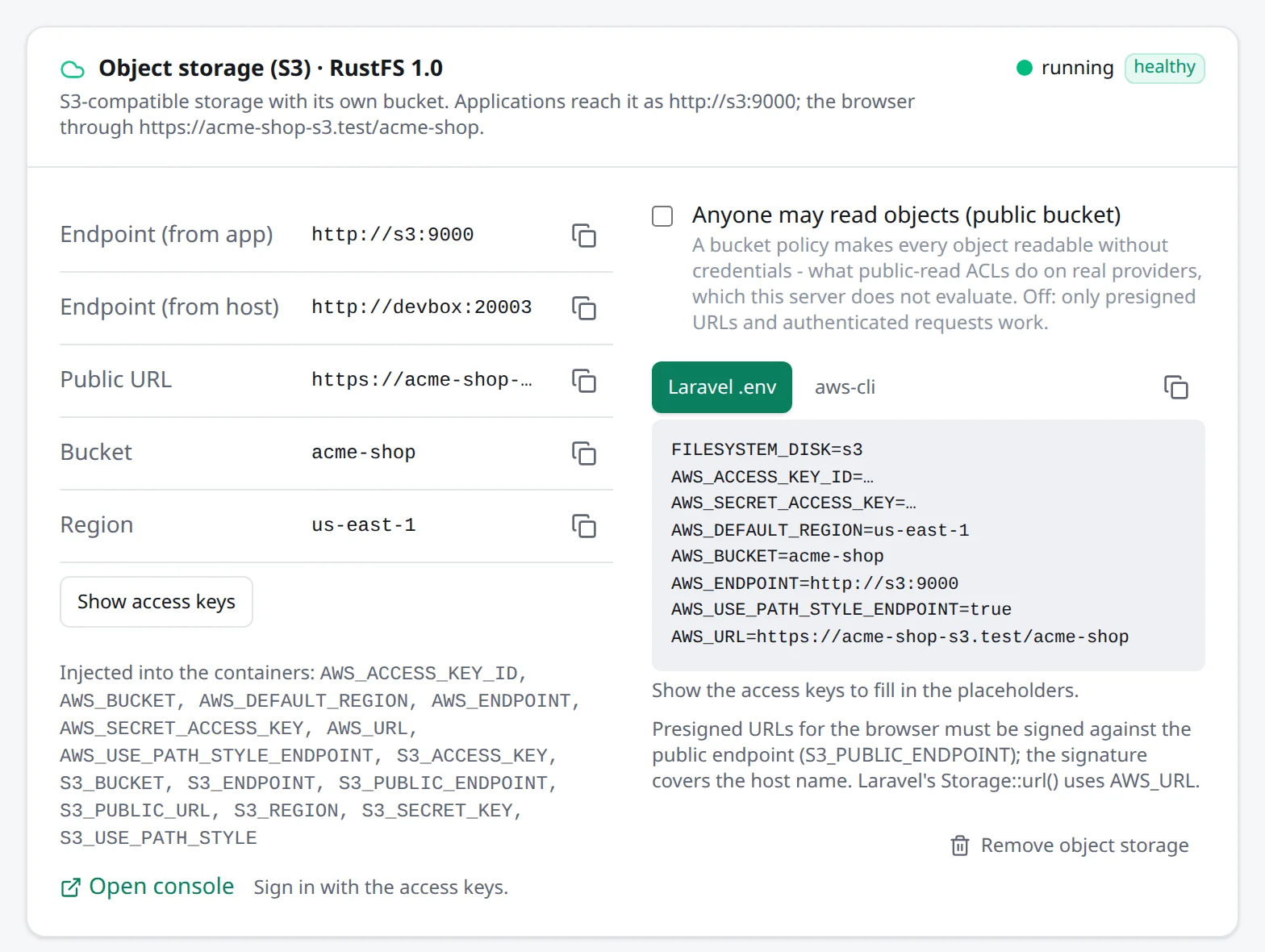
A Laravel s3 disk works with FILESYSTEM_DISK=s3 once the S3 driver is installed. A fresh Laravel doesn’t have it, so run composer require league/flysystem-aws-s3-v3 first; without it Laravel stops with a class-not-found error the moment it touches the disk.
Your browser can reach the bucket as well: the proxy serves the S3 API as <project>-s3.<base domain>, so Storage::url() links, public files and direct uploads work. One thing trips people up with presigned URLs: if a browser is going to use them, sign them against S3_PUBLIC_ENDPOINT. A URL signed for s3:9000 only works inside the project network.
In Laravel that means a second disk next to s3 that only differs in the endpoint. Since signing
happens locally without a request, it doesn’t matter that the app itself can’t reach that address:
// config/filesystems.php, under 'disks''s3public' => [ 'driver' => 's3', 'key' => env('AWS_ACCESS_KEY_ID'), 'secret' => env('AWS_SECRET_ACCESS_KEY'), 'region' => env('AWS_DEFAULT_REGION'), 'bucket' => env('AWS_BUCKET'), 'endpoint' => env('S3_PUBLIC_ENDPOINT'), 'use_path_style_endpoint' => true,],Upload through the s3 disk as usual, and create the link with
Storage::disk('s3public')->temporaryUrl($path, now()->addMinutes(10)). The disk’s temporary_url
option doesn’t help here, because the host name is part of the signature.
A new bucket is private: only presigned URLs and authenticated requests get at the objects. If your application links to files with Storage::url() and expects them to open like on a public bucket in production, switch on Anyone may read objects (public bucket), either when you add the storage or later in the Services section. RustFS ignores public-read ACLs, so Envoryx does this with a bucket policy that lets anyone read every object. Keep in mind what that means: whoever can reach the project’s S3 host name can then read the objects. In envoryx.yml it’s storage: {publicRead: true}, in the API "publicRead": true.
Buckets from Envoryx 0.17 and earlier were public by default, and they keep that setting. An envoryx.yml that doesn’t mention publicRead leaves an existing bucket alone, so updating doesn’t quietly lock your files away.
RustFS has its own console, which opens from the Services section; sign in with the project’s access keys. The S3 API and the console are also published on host ports, so local tools like aws s3 --endpoint-url can talk to them.
Backups can include the bucket. Every object ends up as a plain file in storage.tar.gz, which you can open with any tar. Removing the object storage deletes the bucket’s volume, so Envoryx asks you to type the bucket name first.
Removing a service
Section titled “Removing a service”When you remove Redis, RabbitMQ, Meilisearch, Typesense or OpenSearch, the container goes, but the data stays unless you pick Delete the data in the dialog (and type the service name to confirm). That’s deliberate: taking a search engine out for a while shouldn’t cost you the index. Add the service again later and it picks the data up, together with the credentials it was created with, so RabbitMQ’s password and the search engines’ keys are the same as before.
Until then, the card that adds the service names the kept volume and has a Delete kept data button. Kept data isn’t part of project backups, so don’t treat it as one. It moves along when you rename the project and goes when you delete the project.
Memcached, Mailpit and Ollama keep no data of their own, and an external Redis was never Envoryx’s to delete. Object storage and databases still delete their data on removal, which is why they ask for the name.