
Users and roles
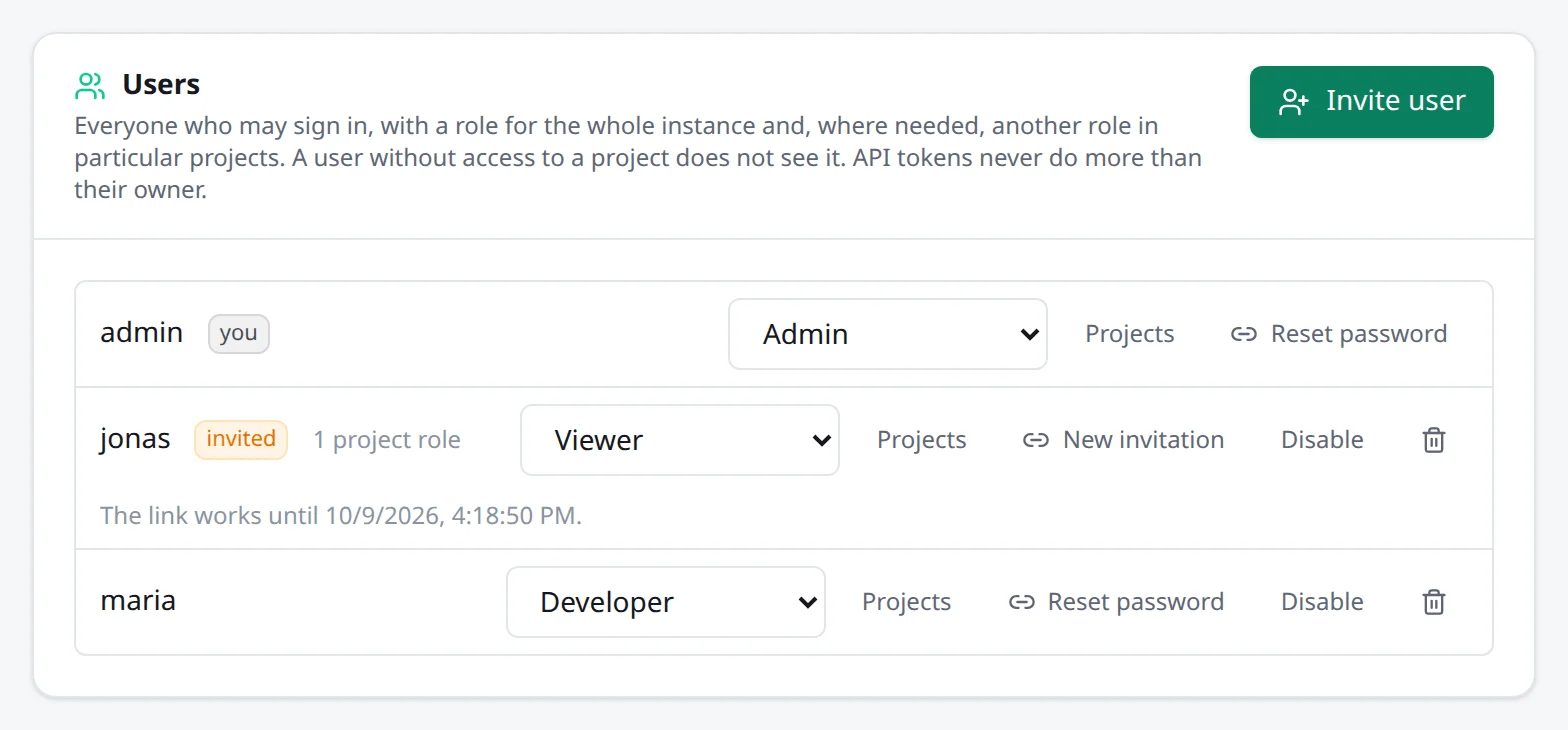
Envoryx isn’t limited to one account. The setup page creates the first admin, and everyone else comes in through an invitation: Settings → Users → Invite user, a name and a role. Envoryx then shows you a link that works once within 48 hours. It sends no mail, so you pass the link on yourself, and copy it right away, because it’s only shown this once. Whoever opens it sets a password (at least 10 characters) and is signed in. If someone forgets their password, Reset password on their user hands out a new link.
The roles
Section titled “The roles”| Role | May |
|---|---|
| Viewer | look: projects, status, logs, statistics, backups |
| Developer | work with projects: start, stop, restart, terminal, actions, git, backups, databases, domains, addons, SSH/SFTP |
| Admin | everything: creating and deleting projects, settings, TLS, instance backups, users |
| No access | nothing, except in the projects the user has a role of their own in |
They match the token scopes read, operate and admin.
With Projects on a user you give them another role in particular projects, and that one replaces
the global role there: a viewer everywhere can be a developer in one shop, and a developer can have
no access to the production copy. An admin stays admin in every project. A project someone has no
access to simply isn’t there for them. It’s missing from the lists and the dashboard, and the API,
MCP and SSH refuse it. The dashboard of someone with only some projects shows issues and resource
usage of those projects alone, and the count of orphaned resources is for instance admins only. Creating projects, copies and branch environments takes an admin of the whole
instance.
In the invitation the role No access - only the projects given below is the one for a client or a freelancer who should see one or two projects and nothing else. The dialog itself only asks for a name and the role, though; the projects come afterwards. Once the user is in the list, open Projects on them and pick a role per project. Until you do, they sign in to an empty project list.
Branch environments don’t show up in that list. They have no roles of their own: whoever has a role on the parent has the same role on all its environments, and Envoryx looks that up every time it checks access. So a role you give or change on the parent later, or a new team member, reaches the environments that already exist.
What each role sees
Section titled “What each role sees”The interface leaves out what your role may not do. Viewers see no start, restore or delete
buttons, and forms they may only read are shown read-only. For everyone who isn’t an admin,
Settings has only My account, and the Docker page and New project are gone; opening
/docker or /projects/new directly takes them to the project list. Hiding is a courtesy, not the
protection, though. The server checks every request on its own.
The little pop-ups for running operations (creating, copying, backing up and so on) only announce what you started yourself, in any of your browsers. Admins also see what Envoryx does on its own, such as scheduled backups. Someone else’s work on a project still shows in that project’s row and page, so you can tell when a colleague is restoring the shop you’re about to open.
Secret variables stay secret below developer: viewers and read tokens never get their values,
not in the project list, the project view or the dashboard. The same goes for service credentials,
such as the object storage keys, the RabbitMQ password and the search engines’ keys. Like database
passwords, they’re only handed out to people who may operate the project. The
database browser follows the same line: it
opens only the databases of projects you may operate.
Disabling and single sign-on
Section titled “Disabling and single sign-on”Disable on a user ends their sessions and stops their API tokens and SSH keys until you enable them again. Nobody can disable or delete themselves, and the last admin who can still sign in can’t be demoted, disabled or deleted, so you can’t lock everyone out by accident.
If you already run Authentik, Keycloak, Authelia or another OpenID Connect provider, Settings → Users → Single sign-on (OpenID Connect) lets people sign in through it, and the provider’s groups can set their roles. Roles in particular projects are always set in Envoryx.
An existing Envoryx account is connected to the provider only through its invitation link: send the person an invitation (or a password reset link) and they pick Sign in with … instead on that page. Envoryx then links whichever provider account they sign in with to that Envoryx account. Signing in on the login page never links an account by its name, since names at a provider can be anybody’s choice.
The client secret is stored and never shown again. Leaving the field empty keeps it, even when you switch single sign-on off. To get rid of it, tick Remove the stored client secret when saving.