
Project lifecycle
Once a project exists, most of what you do with it happens through the buttons in the project header and the More actions menu (⋯) next to them. Here’s what each of them does behind the scenes.
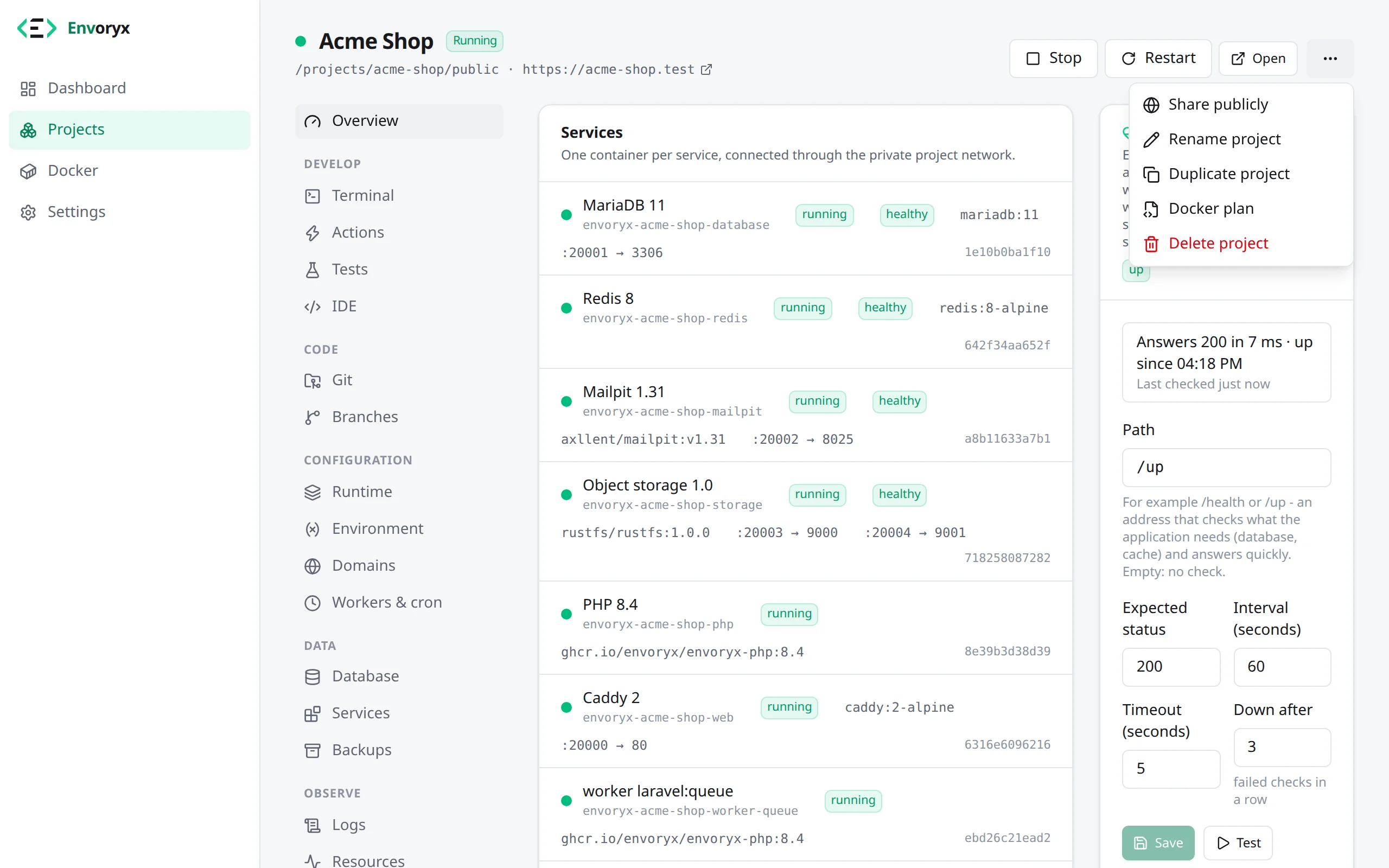
Start, stop, restart
Section titled “Start, stop, restart”These act on all containers of the project at once. Stopping keeps your data. Restart also pulls updated runtime images, but a container only gets recreated if its image really changed.
You don’t have to keep the browser open for any of this. Creating, starting, restarting, updating, deleting, backups and restores all run to the end on the server, even if you close the tab or lose the connection. Next time you load the page, you’ll see how it went.
Project containers use Docker’s unless-stopped restart policy, so they keep running while
Envoryx itself is stopped or being updated. If you’d rather have them follow Envoryx, turn that
on under Settings → General → Projects and the Envoryx container: stopping Envoryx then stops
the running projects, and the next start brings back the ones that were running - after a
reboot of the host, too.
Runtime images and rollback
Section titled “Runtime images and rollback”The runtime images get rebuilt every week from the official images, which brings in patch releases like PHP 8.5.3 → 8.5.4. A running project keeps its image until you restart it: a Restart asks the registry for the current build and recreates the containers whose image changed. When another project has already pulled a newer build of the same tag, a Start applies it as well. Everything else leaves the containers on their image, so adding a worker or changing a variable doesn’t restart your database or empty Mailpit just because an update was waiting. Until you restart, the status says so, for example a newer php image was pulled; restart to apply.
New things are different. A new project, a switch to another runtime version and a newly added service always get the current image, because an older build left on the host might lack tools the current Envoryx relies on. Without a connection to the registry, Envoryx uses the local image.
Sometimes a patch release breaks something. That’s what the rollback is for: when a restart swapped containers for a rebuilt image, the Overview shows image updated next to the service, with a Roll back button. It recreates the containers from the image they ran before, and the project stays on that image through further restarts until you pick Use current image. Moving to another version altogether (PHP 8.4 → 8.5) is a job for the Runtime section.
Duplicate
Section titled “Duplicate”Duplicate copies a project - shop becomes shop-test - in a single dialog. That’s handy for
trying a risky upgrade without touching the original. The configuration, the environment, the
proxy rules, the resource limits and the health check always come along. The rest you choose:
- the project files, optionally with dependencies (
vendor/,node_modules/and other folders a build recreates) - slower, but the copy runs without installing them again, - the database contents, dumped and imported into the copy’s own database server,
- the objects in the bucket,
- the workers and cron jobs,
- the repository binding.
If you tick Start the copy when it is ready, it starts once the files and the data are in, so it never comes up against a half-filled database.
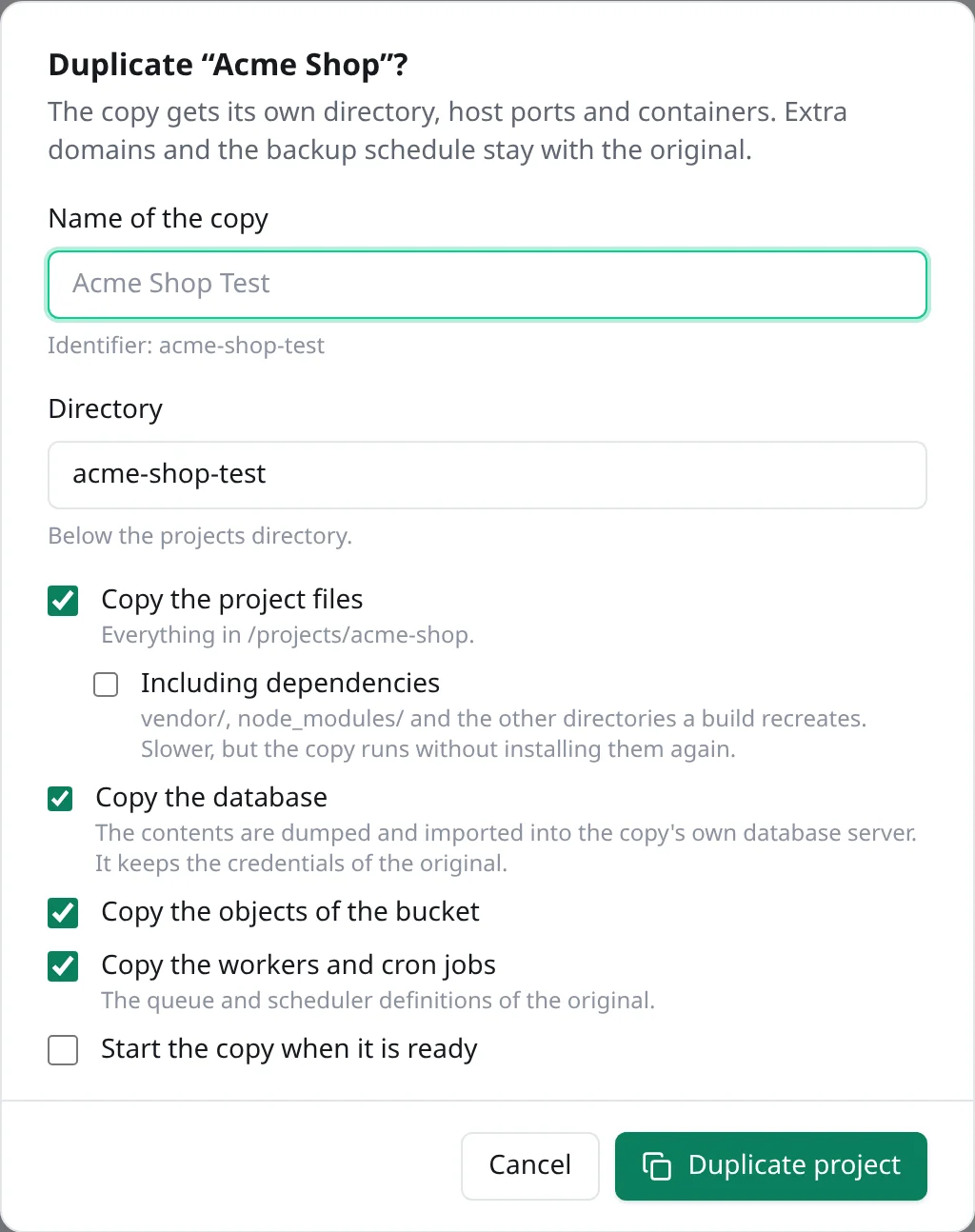
The copy gets its own folder, host ports and containers, but it keeps the database credentials of
the original, so a .env in the project files simply keeps working. Extra domains and the backup
schedule stay with the original. And if the original talks to an external database server, the
copy gets local containers filled with that external data instead.
envoryx project duplicate shop "Shop Test"What you fix by hand in the copy
Section titled “What you fix by hand in the copy”Only the database, the bucket and the files travel. Redis, OpenSearch, Meilisearch, Typesense and
RabbitMQ start empty in the copy, so caches and queued messages are gone and a search index has to
be built again. Most apps simply refill a cache, so that part rarely hurts. Shopware with OpenSearch
switched on (SHOPWARE_ES_ENABLED=1) is the exception: without its index even the storefront’s home
page answers with a 500 (no such index [sw_product]), not just the search. Run
bin/console es:index in the copy before you look at it.
The part that does surprise people: some applications keep their own address in the database or
in their configuration, and the copy then sends your browser straight back to the original.
WordPress does it with siteurl and home in the wp_options table. If your WordPress came from
a site import or from the template of Envoryx 0.20 or later, its wp-config.php sets both to the
address the site is opened on, so the copy and its wp-admin stay on the copy. Its posts are still full of
absolute links to the original, though, and so is the whole database of a WordPress you brought
along some other way. WP-CLI is in the PHP image, so
wp search-replace 'https://shop.test' 'https://shop-test.test' in the copy’s PHP terminal changes
all of them, serialized options included. Shopware keeps the domains of its sales channels in the
database; bin/console sales-channel:update:domain shop-test.test points them at the copy. In
TYPO3 it’s the base of the site configuration in config/sites/.
Rename
Section titled “Rename”Rename changes the project’s name, and the identifier derived from it follows along: URL and
host names, container, network and volume names, the SSH users, the project folder (unless you
picked it by hand) and the backups, which then carry the new name too. The database name, its
login and the bucket change as well, unless you choose to keep them, and the companion databases
follow the primary one: the _test database and, in a Rails project, _queue, _cache and
_cable. The containers get recreated in the process, so the project is
unavailable for a moment.
envoryx project rename shop "Acme Blog" --yesDelete
Section titled “Delete”Delete stops and removes all containers of the project, its network, its volumes - including the database contents - and its generated configuration. You confirm by typing the project’s identifier. Tick Also delete project files and the project folder goes as well. There’s no undo for either, so if there’s a chance you’ll want the data again, take a backup first. The project’s backups survive the delete: they show up under Settings → Backups → Backups of deleted projects, where you can restore one into a new project.
envoryx project delete shop --yes [--delete-files]Now and then you may run into leftovers: resources with Envoryx labels whose project doesn’t exist anymore, for example after restoring an older instance backup. Envoryx cleans up the orphaned containers and networks it labelled itself, but it never deletes volumes on its own, and it leaves unlabelled leftovers from an Envoryx before 0.18 alone too (the Docker page marks them older Envoryx). Those stay listed on the Docker page with a Remove button. Create a project with the same name again, and it picks up their data.