
Sharing a project
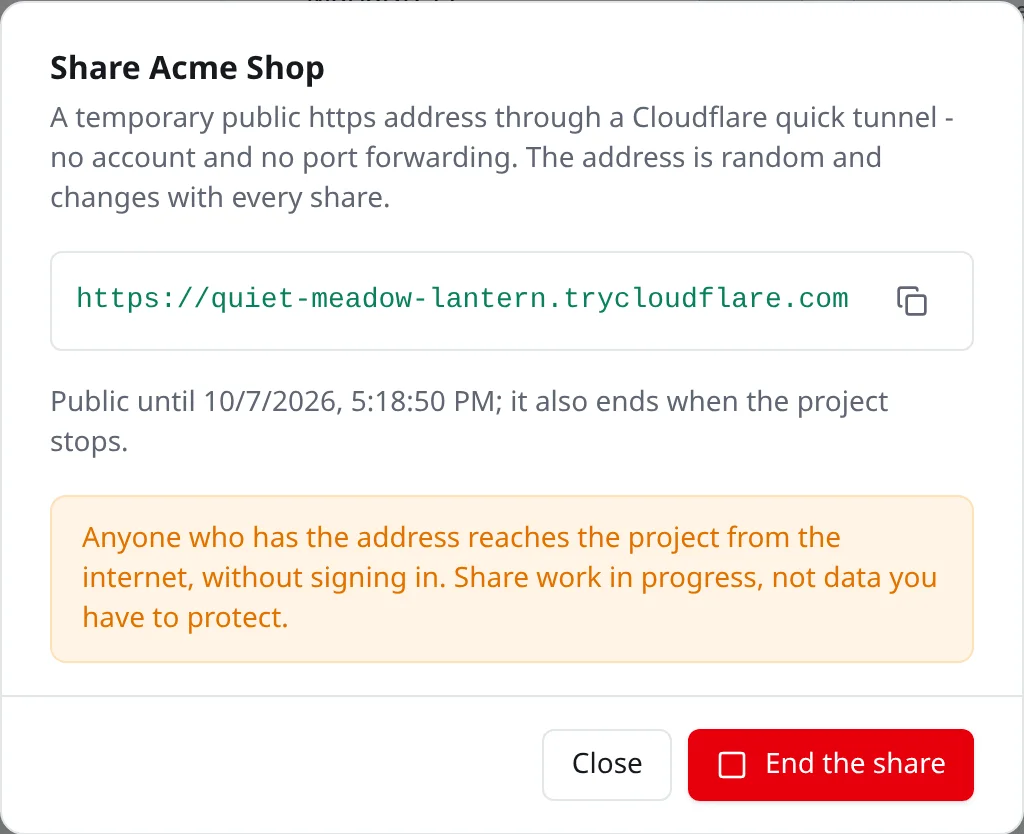
Sometimes you want to show a client or a colleague what you’re working on, and they’re not in your network. No VPN, no port forwarding, no account somewhere: open More actions (⋯) in the header of a running project and pick Share publicly, and it gets a temporary public https address.
Behind the scenes Envoryx starts a Cloudflare quick tunnel (cloudflare/cloudflared) next to the project and shows you the address it got, something like https://<random-words>.trycloudflare.com. The address is random and changes every time you share. Because the tunnel goes through the proxy, the project’s rules apply here too, so a password, headers and redirects all work.
How long a share lasts
Section titled “How long a share lasts”In the dialog you pick 15 minutes, 1, 4 or 24 hours; if you don’t, it’s one hour. The command line and the API take anything from 5 minutes to 24 hours. A share also ends early when the project stops, is renamed or deleted, or when you click End the share. While it runs, a green Shared badge sits in the project header; click it to see the address again. Recreating the application, for example after changing variables, doesn’t end it.
The host only needs outgoing connections for this: it has to reach Cloudflare on port 7844.
One thing to keep in mind: an application that builds absolute links from APP_URL or ENVORYX_URL will still point those links at the local address.
From the command line and the API
Section titled “From the command line and the API”envoryx project share shop --for 2h # prints the public addressenvoryx project share shop --statusenvoryx project share shop --stopOver the API it’s GET, POST ({"minutes": 60}) and DELETE on /api/v1/projects/{id}/share. Starting a share needs an admin token or user, ending one operate, and both end up in the audit log.