
Instance backups
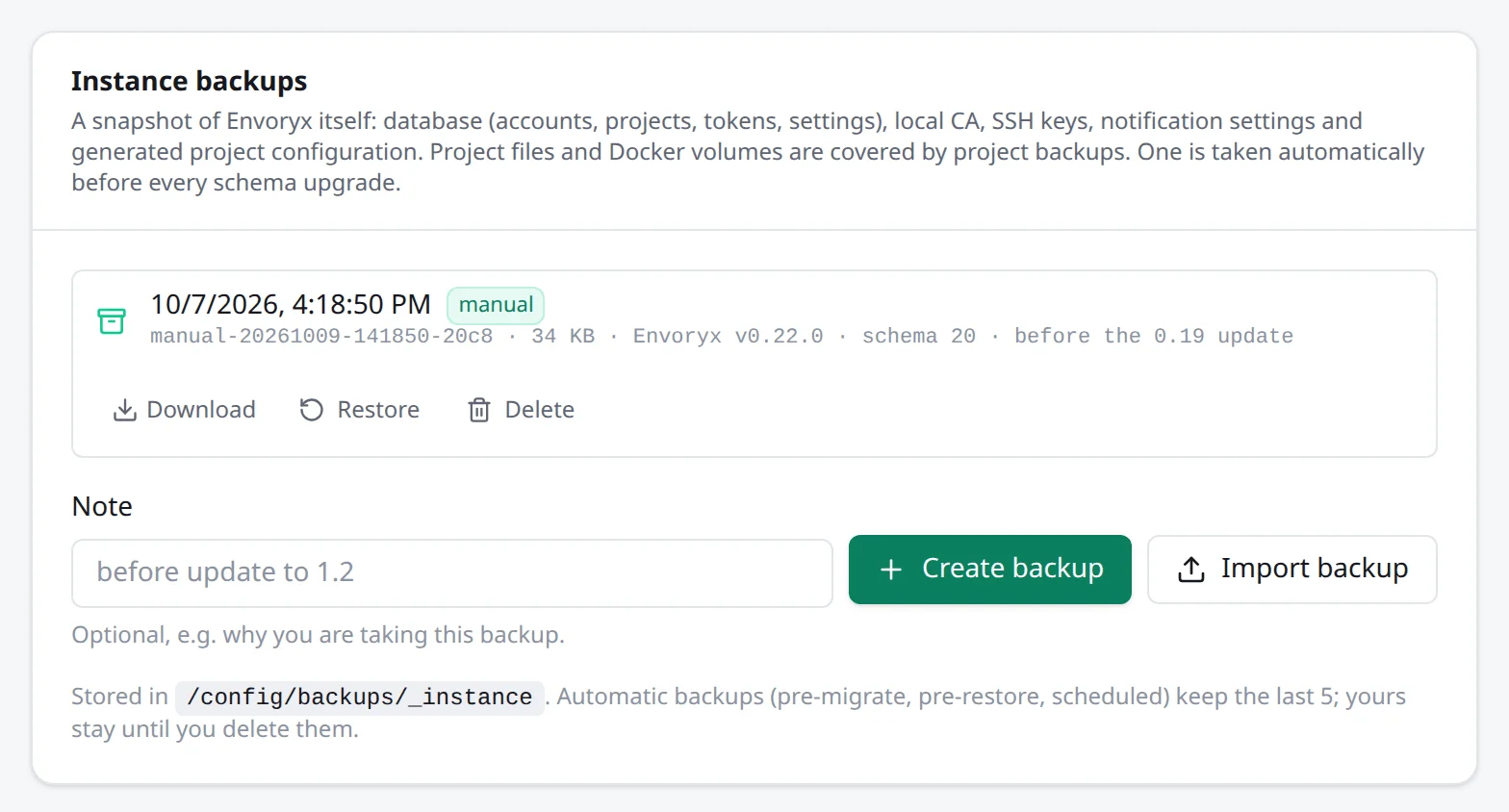
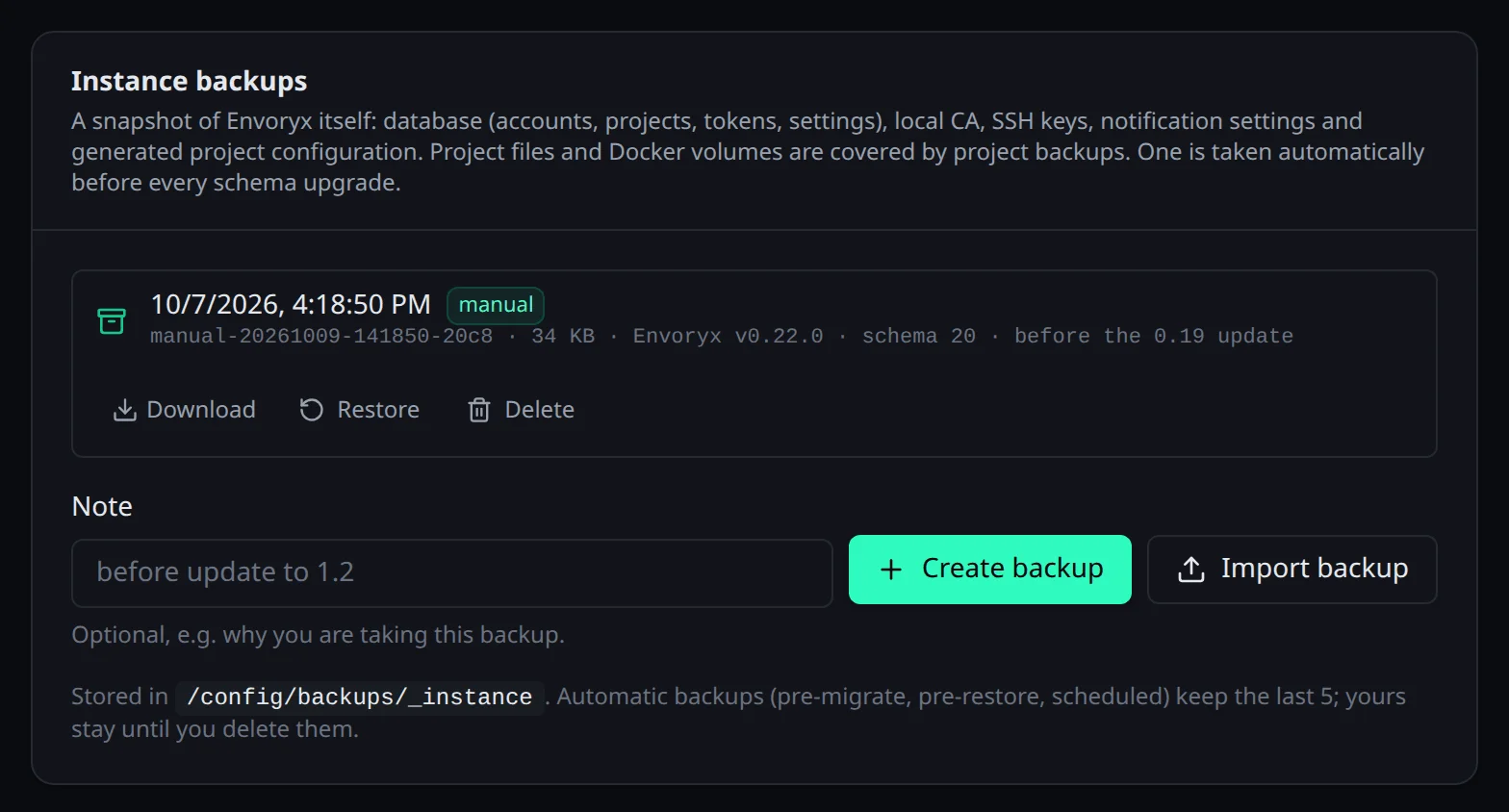
Project backups protect your projects. Instance backups protect Envoryx itself: its SQLite database with accounts, sessions, API tokens, the projects and their service settings, domains, workers and settings, plus the local CA, the SSH host key and the deploy keys, the notification settings and the configuration Envoryx generates per project. You find them under Settings → Backups → Instance backups.
What’s not in there are your project files and Docker volumes - that’s the job of
project backups. An instance backup is a single
envoryx-<id>.tar.gz under <backups dir>/_instance/.
Two things are left out on purpose: the secret key
that encrypts the stored secrets, and the
instance ID. A restore keeps
the current key and ID. That’s why you need a copy of the key to restore a backup on another host.
The backup does note down the ID it was made under, though, for the one case where taking it over
is right: you lost /config on the same host and the old project containers are still there (see
below).
Making one, moving an installation
Section titled “Making one, moving an installation”You can Create backup any time, and it’s a good habit before an update. To move Envoryx to another machine, Download the backup and bring it in there with Import backup.
An instance backup uploaded under New project → Existing website by mistake (or with
envoryx import) isn’t taken for a website: Envoryx recognises it and puts it in this list, where
you can restore it.
Envoryx also makes some on its own: before every change of its database schema
(pre-migrate-…) and before every restore (pre-restore-…). Of each kind it keeps the last
five. The ones you made or imported yourself stay until you delete them. And with an
offsite target, one goes up every day without you doing anything.
Restoring
Section titled “Restoring”Restore asks you to type restore, because it really replaces things. Envoryx then restarts
in place and applies the backup before it opens its database. It saves the current state as a
pre-restore backup first - so even a restore can be undone - and then replaces database and
configuration.
Your project files aren’t touched. Containers of projects you created after the backup no longer belong to any project; Envoryx removes them about a minute later, and their volumes show up on the Docker page until you remove them yourself.
Every browser session ends, including the ones the backup still holds, so a cookie from back then doesn’t come back to life. Sign in again with the credentials from the backup. API tokens are a different matter: they’re the backup’s and keep working, which is handy for scripts and IDEs. But a token you revoked after the backup was taken is valid again, so revoke it once more.
A backup from a newer Envoryx is refused. An older one is fine: it’s migrated forward when Envoryx starts.
After losing /config
Section titled “After losing /config”If /config is gone but the project containers are still running on the host, the fresh start
gives Envoryx a new instance ID, and the old containers suddenly belong to “another instance”.
Restoring the instance backup sorts that out by itself in the usual case: on the first start after
the restore, Envoryx takes over the ID the backup was made under when that ID’s containers for the
restored projects are on this host, this instance has no containers of its own yet, and no other
Envoryx container exists on the host, running or stopped. The instance.restored entry in the
audit log then names the adopted ID.
With a second Envoryx on the same host, it can’t tell whose containers they are and keeps its new ID. The projects then show as missing and a start fails with the name is taken by another Envoryx instance on this Docker host. The log says which ID the containers carry; how you put it back by hand is under Troubleshooting.
From the command line
Section titled “From the command line”The CLI does all of this with an admin token, which is handy before an update or when you move to another host:
envoryx instance backup --note "before the update"envoryx instance download <backup> # on the old hostenvoryx instance upload envoryx-<backup>.tar.gz # on the new oneenvoryx instance restore <backup> --yes --wait--wait returns once Envoryx is back. If the backup was made with another secret key, pass it
with --key-file FILE (or --key-file - from stdin), so it doesn’t end up in your shell history.
And remember that the restored database brings its own tokens: the one you used may not work
afterwards.
Restoring by hand
Section titled “Restoring by hand”If Envoryx doesn’t start at all, you can do it yourself: stop the container, unpack the archive,
put envoryx.db to /config/envoryx.db (delete envoryx.db-wal and envoryx.db-shm if they’re
there) and config/* over /config/, then start it again.
Going back to an older version
Section titled “Going back to an older version”Before the first schema change of a new version, Envoryx writes a pre-migrate backup. That’s
your way back, but only by hand. The old image refuses to start on a database whose schema is
already newer, so you never get to its interface, and restoring the backup in the new version
doesn’t help either: the next start would simply migrate it again.
So stop the container, restore the pre-migrate backup by hand as above and
start the old image. The old version’s error message names the newest pre-migrate backup, so you
know which one to take. Everything you changed after the update is lost with it.