
Java
Start from a Java template in the wizard or pick Java application for an empty project or a
repository, or add Java to any project in the Runtime section. The container,
envoryx-<project>-java, runs ghcr.io/envoryx/envoryx-java:<version>. That’s Eclipse Temurin
(<version>-jdk-noble) plus Maven, Gradle, git and socat. It runs as PUID:PGID, with your project
at /var/www/html and a home directory at /home/envoryx.
Maven’s repository lives in the project’s package cache; share that
cache and a dependency is downloaded once for all your projects. Gradle keeps its home (dependencies,
wrapper distributions) in ~/.gradle in the project home, also when the package cache is shared:
Gradle hands its cache locks over through a message on localhost, which doesn’t reach another
container, so a shared Gradle home makes Gradle in one project wait for another one’s until it
times out.
Versions
Section titled “Versions”Only the LTS releases: 25 is the default, 21 and 17 are available too.
When the Java level in pom.xml or build.gradle(.kts) is higher than the version the project
runs, the project list and the project page warn you and name both versions. The Spring Boot
template targets Java 25, for example, so switching such a project to 21 gets you that warning
instead of an UnsupportedClassVersionError later. Envoryx reads the files, it doesn’t evaluate
them: a level that comes from a variable or a parent POM gives no warning.
Once you’ve lowered the level to match, there’s one more trap: the classes in target/ or build/
were compiled by the newer JDK, and since the sources didn’t change, neither Maven nor the dev modes
compile them again. So before the server and before a test run, Envoryx looks at the compiled
classes, and if they’re for a newer Java than the container runs, it removes target/classes,
target/test-classes or build/classes with a line in the log. The next build then compiles
everything for the right version.
Maven or Gradle
Section titled “Maven or Gradle”You don’t choose, the project does. A pom.xml means Maven, otherwise a build.gradle or
build.gradle.kts means Gradle. If the project brings its wrapper (mvnw, gradlew), the wrapper
wins over the Maven or Gradle in the image. It runs through sh, so a wrapper that lost its
executable bit in a zip file or a Windows checkout still works.
The server
Section titled “The server”Switch on Run the Java server and pick a preset. The server becomes the container’s main process, restarts automatically and gets a host port of its own. Before it starts, it waits for the build file. Switch the server off and on again and it keeps that port, so a bookmark to it stays valid.
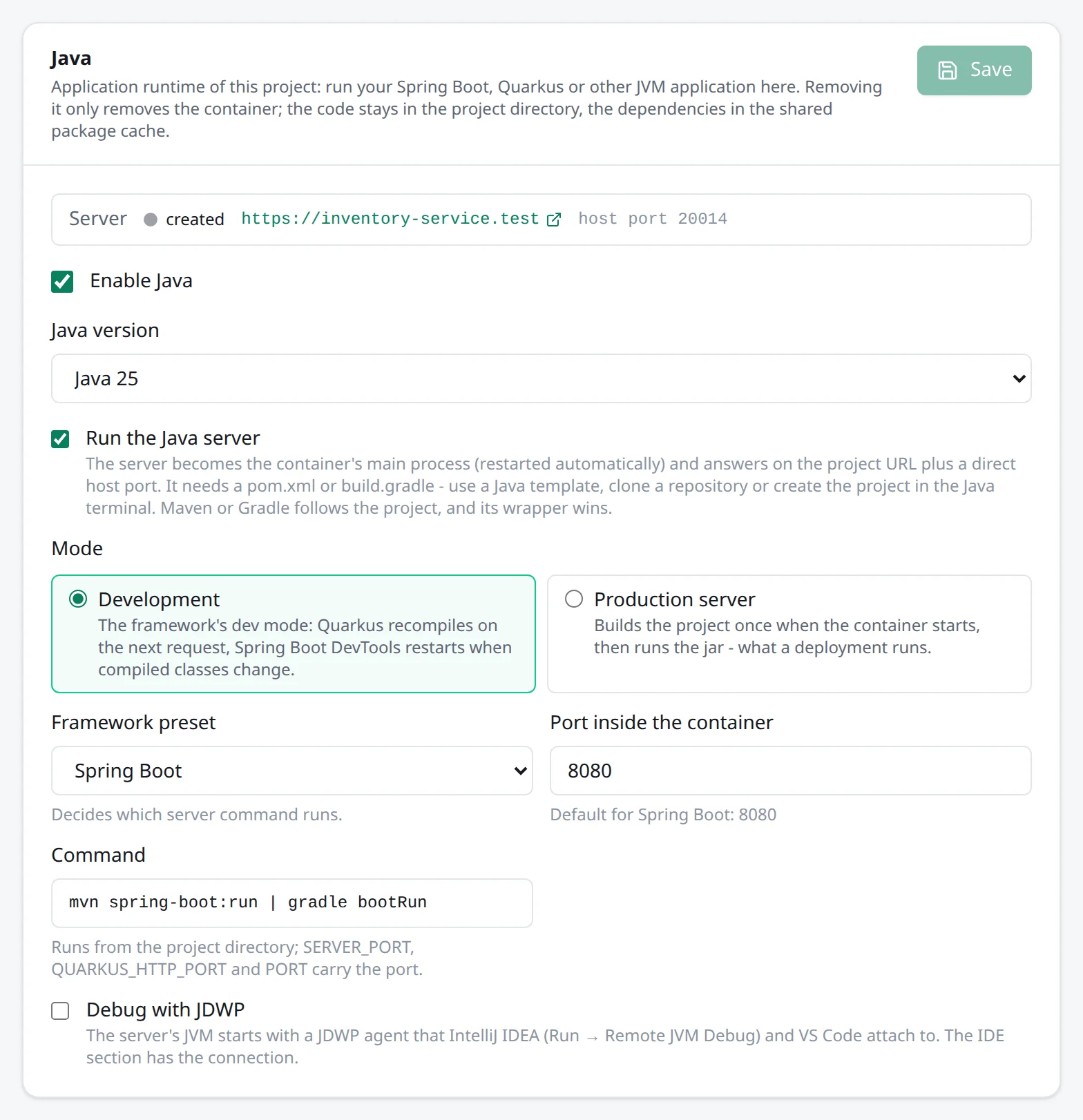
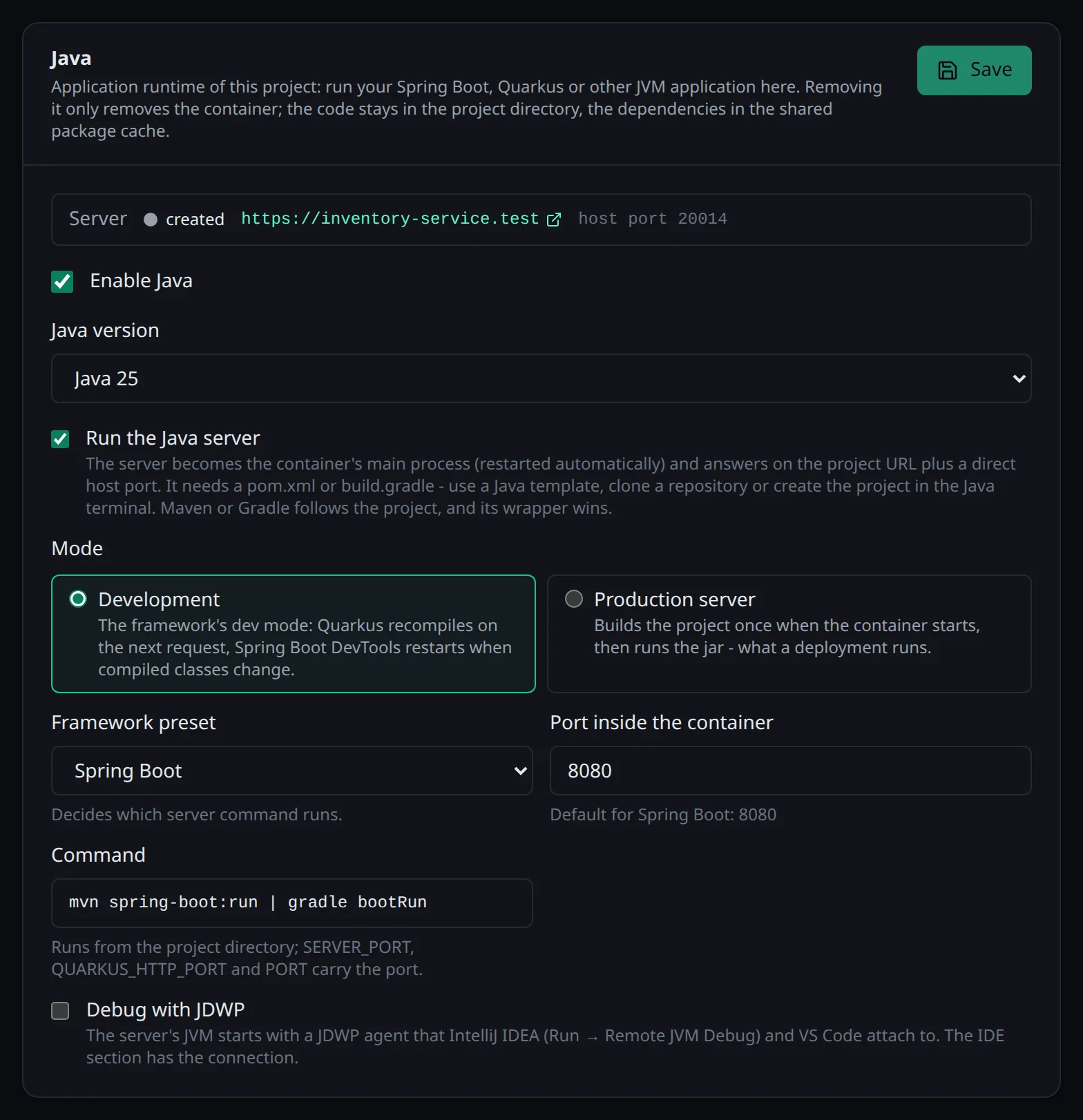
| Preset | Development | Production | Port |
|---|---|---|---|
| Spring Boot | mvn spring-boot:run or gradle bootRun |
build once, then run the jar | 8080 |
| Quarkus | mvn quarkus:dev or gradle quarkusDev |
build once, then quarkus-run.jar |
8080 |
| Other (build, then java -jar) | - | build once, then run the jar | 8080 |
In development, Quarkus recompiles on the next request after a change. Spring Boot’s DevTools restart
the application when compiled classes change, so after editing, run mvn compile in the Java
terminal or let your IDE build. A new dependency is a different story: DevTools only restarts with
the classpath it started with, so after adding something to pom.xml or build.gradle, restart the
project.
Production mode builds the project once without the tests (mvn package, gradle build) and then
runs the jar: Quarkus’ target/quarkus-app/quarkus-run.jar, otherwise the newest jar in target/ or
build/libs/, leaving out the -plain, -sources, -javadoc and -tests ones. The third preset,
for Micronaut, Javalin, Helidon and the like, has no dev mode. It builds and runs the jar you name
(build/libs/app.jar, say) or the newest one.
The port goes into SERVER_PORT, QUARKUS_HTTP_PORT, MICRONAUT_SERVER_PORT and PORT, and the
matching host variables are set to 0.0.0.0, so the common frameworks listen where the proxy can
reach them without any configuration.
Database
Section titled “Database”For PostgreSQL, MySQL and MariaDB, Envoryx injects SPRING_DATASOURCE_URL, _USERNAME and
_PASSWORD for Spring Boot and QUARKUS_DATASOURCE_DB_KIND, _JDBC_URL, _USERNAME and _PASSWORD
for Quarkus, plus a plain JDBC_URL for everything else. An additional database called analytics
arrives as ANALYTICS_JDBC_URL. MongoDB, Redis and Mailpit get their Spring and Quarkus variables too
(SPRING_DATA_MONGODB_URI, SPRING_DATA_REDIS_URL, QUARKUS_REDIS_HOSTS, SPRING_MAIL_HOST,
QUARKUS_MAILER_HOST and so on).
Quarkus Dev Services are switched off (QUARKUS_DEVSERVICES_ENABLED=false). Your application uses the
project’s database, not a container Quarkus would try to start on its own.
Where it answers
Section titled “Where it answers”Without PHP and without a Python, Go or Ruby server, the Java server is the application:
https://<project>.<base> and every extra domain go straight to it, and Direct access is the Java
host port. Next to one of the others it only has its own host port.
Memory
Section titled “Memory”A JVM sizes its heap when it starts: with a memory limit on the
project, a quarter of that limit by default, without one a quarter of the host’s memory. Two things
follow from that. Give a Java project room, about 2 GiB: in development the build tool and the
application each run their own JVM, Gradle adds its daemon (a second one when you run the tests
next to bootRun), and with 1 GiB a test run gets the dev server killed along with it. And when you
change the limit of a running project, Envoryx applies it right away, but the JVMs keep the heap
they started with. A lower limit then ends in the kernel killing the process instead of a Java
OutOfMemoryError, so restart the project after changing the limit. If you want to set the heap
yourself, JAVA_TOOL_OPTIONS=-XX:MaxRAMPercentage=50 in the Environment section reaches every JVM
in the container.
Templates
Section titled “Templates”Spring Boot comes from start.spring.io with Spring Web, Actuator and DevTools, plus JPA and the
driver when the project has a database. Quarkus REST comes from code.quarkus.io with REST
(Jackson) and SmallRye Health, plus Hibernate ORM with Panache and the driver when there’s a database.
Both are named after your project, on its Java version, and built once with their wrapper. Build
tool in the wizard picks Maven (pom.xml, mvnw) or Gradle (Kotlin DSL, build.gradle.kts,
gradlew). It’s under Advanced settings on the second step, so it’s easy to miss; without it you
get Maven. Through the API it’s templateBuildTool with maven or gradle. The first build takes a
few minutes, while the dependencies are downloaded.
Both templates let Hibernate build the tables when the project has a database, because neither
framework does that against a real database server on its own: the first @Entity you add would
otherwise end in relation does not exist. Spring Boot gets spring.jpa.hibernate.ddl-auto=update
in application.properties. Once Flyway or Liquibase manage the schema, switch that to validate or
none. Quarkus gets %dev.quarkus.hibernate-orm.schema-management.strategy=update, so your data
survives live reloads, and %test.quarkus.hibernate-orm.schema-management.strategy=drop-and-create,
because the test database starts empty and needs its tables built for every run. Both templates bring a health check path you can use right away: /actuator/health for
Spring Boot, /q/health for Quarkus.
Quarkus’ start page in dev mode sends you to its Dev UI, which on its own only answers requests for
localhost. Envoryx sets QUARKUS_DEV_UI_HOSTS to the project’s host name, a pattern for the other
names under the base domain and the public host, so /q/dev-ui opens at the project URL. The
pattern needs Quarkus 3.16 or later; on older versions only the project’s own host name works.
An extra domain outside the base domain goes into the same variable in the Environment section,
separated by commas. Production mode has no Dev UI anyway.
The Tests section runs mvn test or gradle test (filter with -Dtest or --tests) and shows the
result per test from the JUnit reports. The run points SPRING_DATASOURCE_URL,
QUARKUS_DATASOURCE_JDBC_URL, JDBC_URL and DATABASE_URL at <database>_test, which Envoryx creates
first. A URL with parameters like ?useSSL=false gets the suffix in front of them, so it ends at the
test database as well. So a test with create-drop can’t empty your development database.
Debugging
Section titled “Debugging”Debug with JDWP starts the server’s JVM with a JDWP agent, on port 5005 unless you change it and
with suspend=n, and publishes that port on a host port. You don’t have to wire it into your build:
for spring-boot:run the agent goes into the forked application JVM, for bootRun an init script
adds it, and Quarkus dev mode gets -Ddebug.
In IntelliJ IDEA, use Run → Remote JVM Debug with the host and port from the IDE section. In VS
Code, the Extension Pack for Java attaches with a launch.json like this one; the IDE section shows
it with your host and port filled in:
{ "type": "java", "name": "Attach to Envoryx", "request": "attach", "hostName": "<host>", "port": <port>}Without the server, only the port is published - for a JVM you start yourself in the Java terminal
with -agentlib:jdwp=transport=dt_socket,server=y,suspend=n,address=*:5005.
If you’d rather work inside the container altogether, IntelliJ IDEA opens the project over JetBrains
Gateway with the container’s JDK, Maven and Gradle, and VS Code does the same with Remote-SSH. The
SSH user is <project>.java when the project has more than one runtime, see
IDE integration.
Actions and workers
Section titled “Actions and workers”The Actions section has java -version, and depending on the build tool package, clean,
dependency:tree and versions:display-dependency-updates for Maven, or build, clean,
dependencies and tasks for Gradle.
Two worker presets cover background work: Jar file runs java -jar <file>, for example a Spring
Boot app with a worker profile or a queue consumer, and Build tool goal runs mvn <goal> or
gradle <task>, such as exec:java -Dexec.mainClass=com.example.Worker. Cron jobs run in the Java
container like in any other. More under Workers and cron jobs.
Adding or removing Java later
Section titled “Adding or removing Java later”The Java card in the Runtime section has an Enable Java switch. Turning it off removes the Java
container and the containers of the Java workers; your files and the worker definitions stay. On the
command line, envoryx takes --java <version>, --java-server and
--java-preset spring-boot|quarkus|jar.